
01What Atlas 64 is
Atlas 64 is a board game console: a real board, with real pieces and real people around a table, plus the one thing cardboard can’t do. Every cell can light up, and the board knows when a piece lands on a cell or leaves it.
One board is a module of 8 × 8 cells, 64 in all, hence the name. Each cell has its own coloured light and its own sensor. A game can use a single module or join several to make a bigger table.
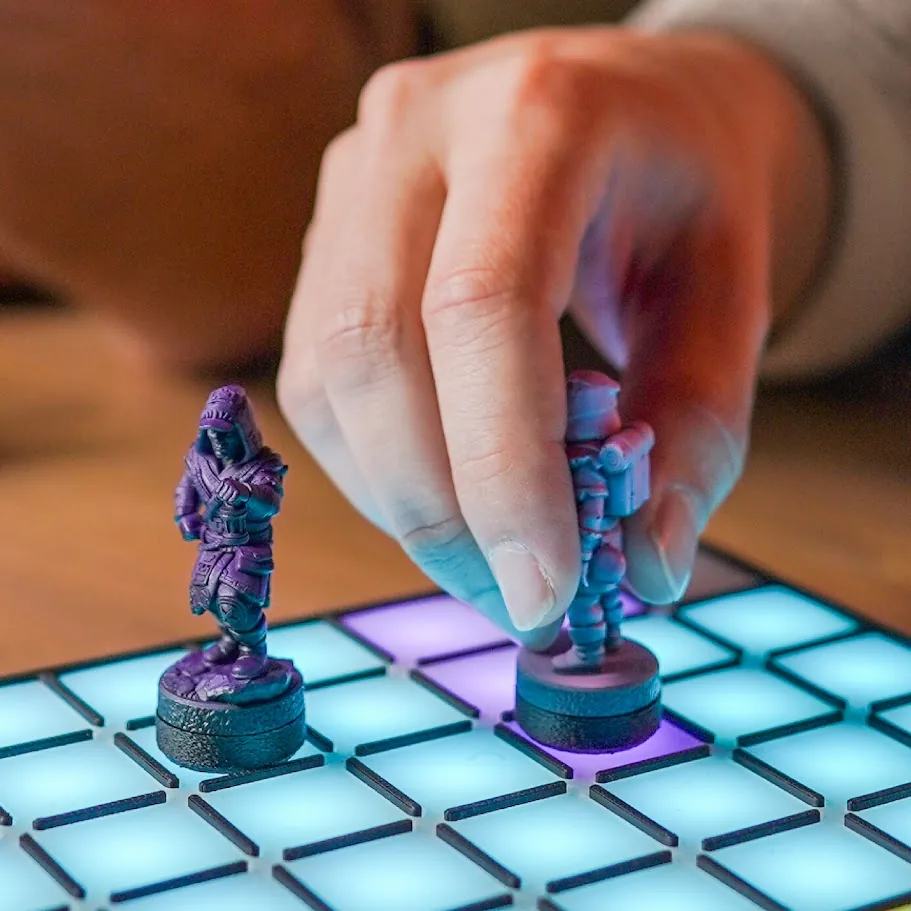
If you’re going to design for Atlas, keep this in mind from the start: you’re designing a board game that happens to have a brain, not a video game with a board attached. The best Atlas games use the lights to remove friction (setup, bookkeeping, hidden information) and leave the table to the players.
02How a game runs
The game doesn’t live inside the board. It runs on a phone, inside the AtlasHub app, and talks to the board over Bluetooth:
- The phone runs the game: it draws the screen (menus, scores, instructions) and decides which cells light up and in what colour.
- Module 0, the master, receives those lights over Bluetooth, passes them on to the other modules, and reports back every piece that is placed or lifted.
- The other modules connect to the master wirelessly. A game can use from 1 to 7 modules in total.
That split shapes your game. The screen is for what players read; the board is for what they touch. A score, a rule, a card that only one player should see: phone. A move, a territory, a path: board.
03Modules and the table
Each module is a separate board with its own battery. Its front edge has the power button on the left, the USB-C port on the right and a row of magnetic contacts in the middle, where Atlas Core snaps on.
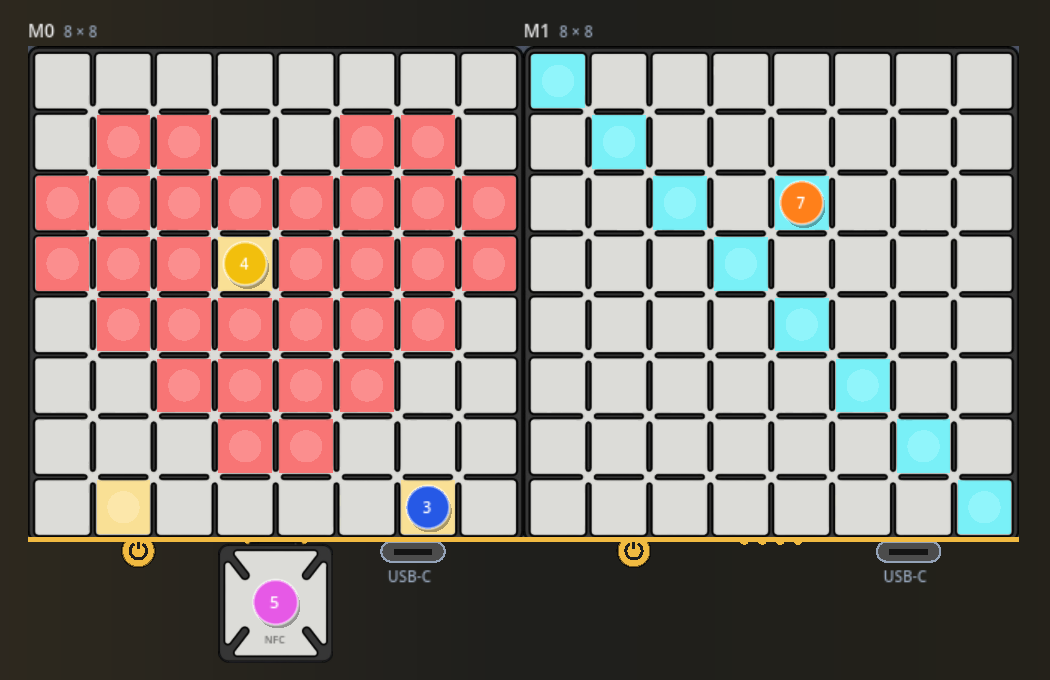
Modules can go anywhere on the table and in any orientation: side by side, stacked, in an L, rotated. The board doesn’t know how you arranged them. It only reports “module 1, cell 3,4”. So:
- Your game has to tell players how to set up the table, on screen, before the match starts (“put module 1 below module 0”).
- Leave the front of a module reachable if it might need its cable: a module with low battery may have to play plugged in.
- If your game uses Atlas Core, keep the front of module 0 free and within reach of the players.
04How Atlas 64 sees a piece
Under every cell there’s a magnetic sensor (a Hall-effect sensor), and every Atlas piece carries a small magnet in its base. When a piece sits on a cell, the sensor feels the magnet.
From that, the board sends the game two kinds of events:
- Piece placed: module, cell. Something just landed on module 0, cell 3,4.
- Piece lifted: module, cell. Whatever was on that cell is gone.
The board knows that a cell is occupied, not which piece is on it. A knight and a pawn look the same to a cell. If your game needs to know which piece moved, track it yourself (“the piece that left 2,2 is the one that just landed on 2,4”) or use Atlas Core.
The sensors are calibrated once and the board remembers it. If a cell ever starts misreading, the board can recalibrate: it takes 8 seconds and beeps once a second while it does.
05Atlas Core: knowing which piece is which
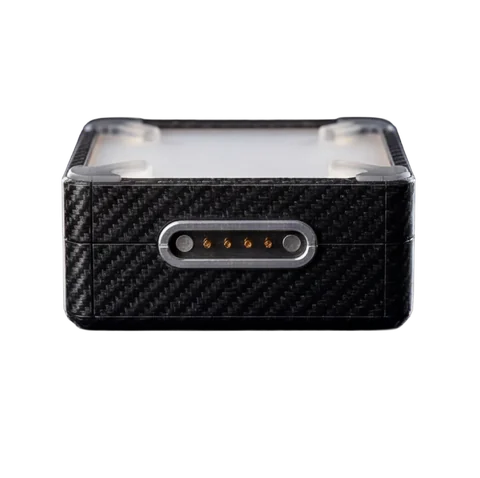
Atlas Core is an NFC reader that snaps onto the front of module 0. Every Atlas piece has an NFC tag inside, with a unique ID set at the factory. Put a piece on Atlas Core and the game learns which piece it is.
Atlas Core is optional: plenty of games never use it. And it only works attached to module 0.
A few things to know before designing with it:
- It tells you who, not where. A piece on Atlas Core is identified, but Atlas Core isn’t a cell, so there’s no position.
- IDs are unknown in advance. Every piece has a different ID and no two players own the same set, so a game can’t ship with a list of IDs. The usual pattern is to pair pieces once: “put the king on Atlas Core”. The game remembers that pairing for next time.
- Each piece has a little memory (144 bytes) that a game can read and write while the piece sits on Atlas Core: a character’s level, a potion’s charges. That memory belongs to the piece, so any game can see it. Today this works in the Studio Simulator; the real board will support it with a firmware update, so a game that uses it must keep working without it.
Typical uses: character pieces that carry their identity from game to game, “scan to reveal” mechanics, or checking that the right piece is the one moving.
06Limits worth designing around
None of these will stop you making a great game, but each one is cheaper to plan for than to discover later.
| Limit | What it means for your design |
|---|---|
| 16 colours per game | Each game picks a palette of 16 colours (one is “off”) and every cell uses one of them. Plenty for teams, terrain and states; not for gradients. |
| Brightness 0–15 | Levels 1–3 don’t show on the real board, and players can dim it down to 20%, where anything below 8 disappears. For anything that must be seen, use 8 or more. |
| About 24 updates per second | Lights travel over Bluetooth. Change them when something happens, not continuously. Slow pulses work; fast animations don’t. |
| Presence only | Cells know a piece is there, not which one. Use Atlas Core or track moves in the game. |
| Atlas Core on module 0 only | One reader per table, at the front of module 0. |
| 1 to 7 modules | Each game declares the minimum it needs and the maximum it uses. AtlasHub warns players who have fewer. |
| One screen orientation | The phone screen is 393 × 852, and each game is either portrait or landscape. |
07Glossary
- Module
- One 8 × 8 board. Module 0 is the master, the one the phone talks to.
- Cell
- One of the 64 squares of a module, with its own light and sensor. Written x,y from the top-left corner (0,0 to 7,7).
- Palette
- The 16 colours a game uses on the board.
- Piece
- Anything with an Atlas magnet and NFC tag in its base: miniatures, tokens, pawns.
- Atlas Core
- The NFC reader that attaches to module 0 and identifies pieces.
- AtlasHub
- The phone app where players get, install and play Atlas games.
- Atlas Studio
- The free PC app where you make those games. That’s the next guide.